A complete reference blog for Indian Government Employees

Showing posts with label Bio-Metric Cards. Show all posts

Saturday, 8 November 2014

Aadhaar Enabled Biometric Attendance System for Railway employees – Railway Board Orders

Aadhaar Enabled Biometric Attendance System enrolment process, all the Section Officers are responsible for enrollment of staff, including MTS and others working under them and the officers of the level of Under Secretary/Deputy Directors and above may enrol themselves on the website on their own.
 
Government of India
Ministry of Railways
(Railway Board)

Office Order No. 66 of 2014

Sub: Enrolment for Aadhaar Enabled Biometric Attendance System (AEBA)

Hon’ble MR has directed that all personnel of the Ministry of Railways, Rail Bhavan (including those located at Pragati Maidan) shall enroll on the Aadhaar Enabled Biometric Attendance System.

2. In this regard, the spadework for enrolment on the system has been completed by the C&IS directorate and the system is now ready to be used for user enrolment.

3. It is now required that all the personnel of Ministry of Railways working In the offices of Rail Bhawan and Pragati Maidan are to enroll themselves afresh directly on the website http://attendance.gov.in/regester/employee

4. For the said enrolment process, all the Section Officers are responsible for enrollment of staff, including MTS and others working under them and the officers of the level of Under Secretary/Deputy Directors and above may enrol themselves on the website on their own. After registration, all EDs shall forward a list of the personnel enrolled n their Directorate giving the information to C&IS through email as per annexure in a spreadsheet via email. Officers above the level of SAG may send their report directly through their PPS/Sr.PPS/PSO.

5. The detailed process for enrolment is enclosed which may be followed while enrolling. The said process of enrolment of all officers/staff under AEBAS should be completed latest by 18.10.2014 (Saturday).

6. For any clarification/ assistance, the following personnel of the Railway Board Computer Centre may be contacted:

1. Sh. Krishan Kant, Programmer, Cell No. 9717635888

2. Sh. Navneet Kr Saxera, Sr Programmer, Cell No. 9717 647095

3. Sh. Akhilesh Misra, Dir. Mech Engg (C&IS), Cell No. 9717640768

2014/O&M/9/3
Dated: 15.10.20 14
sd/-
(K.Krishnan)
Joint Secretary/Railway Board

Source: http://www.indianrailways.gov.in/railwayboard/uploads/directorate/secretary_branches/pdf/om/Aadhar_Card_161014.pdf
Share:

Friday, 7 November 2014

Central Government Employees Attendance Record to be Modernized - Aadhaar Biometric Attendance System


Aadhaar Biometric Attendance System

Central Government Employees Attendance Record to be Modernized - Aadhaar Biometric Attendance System

A decade before, all the government offices had printed ‘Attendance Register’ in which employees used to sign against their names in order to record their attendance. The register would usually be kept in front of an Section officer and register should be initialed at the bottom by the Section Officer. Every employee should note down the time of arrival and departure under his /her initial in ink in the Attendance Register. At the end of the 10 minutes grace time, the register would be taken to the department head’s table.
This system was followed by various computerized methods like smartcard, swipe card, and show card. The most popular method now is the Biometric Attendance System, which captures the employees’ fingerprint to record his/her attendance. The Government explained that the new system has been implemented in order to reduce late-coming. The point worth noting is that no changes can be made in the registered time of arrival or leaving, in this method. Higher officials get immediate reports on the time the employee arrived and the time he/she left the office.

Now, the Central Government has gone one step further and has made these attendance records accessible to all. All information including real time chart can be monitored by public also. Through its website, http://attendance.gov.in/, facilities have been made to view the attendance record in real time to bring more transparency. Through the ‘Aadhar’ card-based system, the employee’s fingerprint is captured in the Biometric Attendance device. The details of the employees, including their Aadhar card numbers, are immediately updated on the website. The information collected from various biometric attendance devices are gathered on a centralized Management Information System (MIS) website. All the gathered information is then presented in the form of a Real Time Chart.

All Central Govt Employees Federations have objected to the new attendance system. An order was issued in DOPT dated 28.01.1988, that said that the members of the National Council JCM Staff Side should be consulted with before implementing any new technologies. They asked if the NC JCM’s opinion was considered in this scheme. They have demanded that Pick-up Point System facility must be implemented in order to avoid late-coming in crucial industries, including infrastructure development. They said, every employee is expected to be on seat and to start work at the prescribed opening of office hour.
Share:

Friday, 17 October 2014

Shocking figures of attendance in central government offices – Attendance.gov.in tracks minute by minute

Shocking figures of attendance in central government offices – Attendance.gov.in tracks minute by minute

Government website throws up shocking attendance figures


Blame it on Urban development minister M.Venkaiah Naidu. He made a couple of surprise visits to his ministry in June and July and a government attendance website was launched, which is throwing up stunning figures of attendance in central government offices. If attendance.gov.in is to be believed, nearly 40% of central government employees tend to be absent from work on any single working day of the week. Attendance.gov.in is a live website and tracks attendance minute by minute

For example, on Friday, October 10, of 50,587 central government employees registered with attendance.gov.in, the recently launched “attendance website” by the Modi government, only 27,553 were present. The remaining 22,000 odd employees had not turned up for work for whatever reason.

The story of this bureaucratic-lethargy started when, soon after taking charge of the Urban development ministry, Naidu checked into Nirman Bhavan, once on June 12, and then on July 28. “That is when late coming to office was noticed. Shri Naidu then directed ministry officials to take necessary measures to ensure punctuality at work,” says a PIB note issued on August 13.

Very soon biometric attendance marker systems were installed in Nirman Bhavan. Other ministries followed suit, and the ‘Babu’ was forced to answer to an electronic roll-call, mornings and evenings.

Attendance.gov.in was simultaneously launched. It took some days but now the website is in full flow, and throwing up numbers that tell the story in numbers.

Read more at : www.dnaindia.com
#ATTENDANCE.GOV.IN, #BIO-METRIC ATTENDANCE, #BIO-METRIC ATTENDANCE SYSTEM, #BIO-METRIC CARDS, #Indian Government News,  #central government employees
Share:

Wednesday, 24 September 2014

FAQs on How to Mark your Attendance (BAS)

FAQs on How to Mark your Attendance (BAS)

How to mark Attendance using the common biometric attendance system on wall mounted terminals
To get your Attendance ID, register online at attendance.gov.in. The Attendance ID will be generated from you Aadhaar number, the 6 digit number will be generated based on the last 6 or first 6 digits of your Aadhaar number. The attendance ID will only be active to mark attendance only when your Aadhaar information is verified by UIDAI and activated by you Nodal officer.
  • Attendance ID has been sent by SMS to your registered Mobile Number.
  • Enter your 6-digit Attendance ID on Screen
  • A Red light will start to glow on Finger Print Scanner
  • Now put any one of your fingers on the Finger Print Scanner
  • DO NOT move your finger on scanner otherwise finger prints will not be properly scanned
  • DO NOT Press very hard on Finger Print Scanner
  • Once the screen shows “Authenticating, Please Wait”. Remove your finger from the scanner
  • A pop-up screen will show your Photo and Attendance Type as “Opening” for the first time you mark the attendance for that day
  • If Attendance Type is “Closing” then it will be counted as OUT Time. However, OUT time would be the LAST “Closing” time marked by you. Any “Closing” time in-between “Opening” time and Last “Closing” time would be ignored
  • If, you see a CROSS instead of your photo, then some ERROR has occurred while marking attendance.
  • You will be able to mark your attendance in any bio-metric terminal installed in various Central Government buildings
  • You can also mark your attendance in any of finger print devices, which have been connected on Windows 7 or Windows OS. Presently client attendance software is not available for MAC OS
  • If you are having difficulty in marking attendance-using fingerprints scanning devices, please try marking your attendance through Iris Device, which may be available with NIC In-charge in your organization
Source : www.attendance.gov.in
Share:

Aadhar-based biometric attendance for central government employees by month-end

Aadhar-based biometric attendance for central government employees by month-end

NEW DELHI: Aadhaar-based biometric attendance systems for central government employees will be fully operational by the end of this month. “The biometric attendance system for central employees will be fully functional by the end of this month,” Information Technology Secretary Ram Sevak Sharma told PTI.

According to Sharma, the attendance of the employees can be tracked through a website, attendence.gov.in, which would be fully operational by the month-end. The website is expected to bring more transparency as it would provide and update information about central government employees on real-time basis.

The attendance web portal will use the information entered in the biometric devices and will act as a centralised management information system (MIS) for attendance. Under the new attendance system, the employees would be able to mark their attendance using biometric reading devices in various government offices.

It will facilitate employees mark their attendance at other central offices also which would help the government to track their movements. According to the information available on the attendance web portal, as many as 163 central government organisations have registered themselves for the same.

At present, as many as 1,816 biometric attendance devices are operational in various central government offices. There are around 43,000 registered users (employees), out of which 18,262 are Aadhaar verified.

Source: Economic Times
Share:

Saturday, 30 August 2014

Frequently Asked Questions on Bio-Metric Attendance System (BAS)

FAQs on Biometric Attendance System (BAS)

Frequently Asked Questions on Bio-Metric Attendance System

Q.1 How does an organisation start Biometric Attendance System (BAS) for their employees?
Ans. Please submit details of the nodal officer and upload a signed request by the head of the department on attendance.gov.in portal. System would send OTP to the mobile number/email id of the nodal officer which needs to be entered again on the portal for verification. Back-end administrator would then check the details of the organisation submitted and make the organisation active by assigning it a unique sub-domain which will be the first name of the website. Nodal officer will then be sent an email by the system giving username (which will be the sub-domain name assigned to the organisation) and a password.


Q.2 Steps to be done by the nodal officer to start registration of employees
Ans. Nodal officer would need to login on attendance.gov.in with the user name and password sent on completion of step 1 and then create master list of locations of their offices, designation of their offices and divisions/units/groups within their organisation.


Q.3 How does employee start registering on the portal ?
Ans. After nodal officer completes step 1 & 2, employee can start registering on-line either at attendance.gov.in by submitting their details along with their Aadhaar number.


Q.4 What are steps of verification of employees?
Ans. Nodal Officer would need to verify details submitted by the employee including whether Aadhaar number entered by the employee belongs to them. After completing of the above verifications, employee would be informed by SMS/Email that his registration process is completed on the attendance.gov.in is completed.


Q.5 Whether an employee will be able to mark his attendance on any Biometric Attendance System (BAS) terminal installed in any Government Building
Ans. Yes, this will be possible as employee database for all central Government employees will be maintained centrally with a unique 6 digit id provided for every Government employee (based on the last 6 or first 6 digits of his/her Aadhaar number whichever is available in the system). The dashboard reports would be able show the location/building from where an employee has marked his attendance.


Q.6 How will an employee mark attendance if he/she is not having Aadhaar number ?
Ans. Aadhhar number is essential for registering an employee in AEBAS. Government employees who are not having Aadhaar number can enrol themselves for Aadhaar numbers in the special camps which are being held by UIDAI in various Government Buildings or permanent enrolment centres of UIDAI in Delhi as per details available at the link below as given: https://appointments.uidai.gov.in/easearch.aspx
Single point of contact for arranging Aadhaar enrollment facility at Bhawans is as per details given below.

Shri Suman Kumar,
ADG, Regional office, UIDAI, Delhi
Phone : 23481111
Email: suman[at]uidai[dot]net[dot]in


Q.7 Is network connectivity essential for marking attendance
Ans. Yes, as it is an online attendance system. Network connectivity will be essential for marking attendance. Therefore, two types of connectivity are being planned with each attendance terminal; one wi-fi connectivity on NICNET/broadband and other sim based GSM connectivity in the tablet.
At a high level the overall solution has two main components.
(i) Front End System (to be installed at client user end)
(ii) Back End System (attendance servers to be hosted in NIC data centre with connectivity to UIDAI for real-time bio-metric authentication)
The Front End System would be a hardware device like Android tablet or a Desktop PC having client application. Once the user ID (6 digit unique number assigned to an employee) is entered, the application would prompt user to provide the biometric data through finger print/Iris scanner which will be sent through the network connectivity to the backend system.
The Back End System (also called the attendance server) would have functionalities to receive data from the client terminals and send it for real-time Aadhaar authentication. It would also have features for organisation/employee registration and preparing real-time attendance reports in dashboard.
It would be possible to see dashboard reports of each organisation by using sub-domain assigned to an organisation e.g.nic.attendance.gov.in


Q.8 No of bio-metric terminals required
Ans. Every employee will need to enter his 6 digit unique id on the touch screen of the tablet and then present his bio-metric (finger print/ iris) for authentication. This may initially take up to 30 seconds to 1 minute depending on number of attempts required. With some practice and training, the time for giving bio-metric attendance by each employee may reduce to less than 10 seconds.
Therefore one bio-metric terminal may be sufficient for about 30 to 40 employees during 30 minute peak load time. Assuming 50% to 70% employees will be coming to office during the peak timings, one bio-metric terminal can be planned for catering to every 50 employees in the department. Also, multiple machines will be put in the entry gate which can be commonly used by employees of different ministries/departments, waiting time in the queue will further reduce.


Q.9 Where to install tablet based terminals?
Ans. it is suggested to install multiple AEBAS terminals at the entry gates of the buildings where security is positioned round the clock.


Q.10 Where to install desktop based finger print devices?
Ans. it is suggested to install desktop finger print devices on Windows desktop PCs connected on LAN (NICNET) in the offices of JS and above and also with section officers for marking attendance of the employees working in the respective sections in order to avoid rush at the attendance terminals installed at the entry gates.


Q.11 Who would maintain the attendance terminals, connectivity and attendance software for desktop PCs?
Ans. It would be additional responsibility of FMS who are maintaining LAN/NICNET connectivity in the Bhawans under guidance and coordination of nicnet/network managers. Additional FMS are being proposed to be deployed at Bhawans under this project.


Q.12 Type of reports which will be available on dashboard
Ans. Some of the sample reports can be viewed at jharkhand.attendance.gov.in and deity.gov.in/attendance. Attendance software is being developed with assistance of UIDAI team. Please send your valuable feedback in improving the features and MIS reports of the attendance system software.


Q.13 Expected Role of NIC HoDs/Teams posted in Ministries/Departments
Ans. Deity/NIC/NICSI/UIDAI are the implementing agency for this project and the bio-metric attendance system will need to be made operational in every ministry/department as soon as attendance terminals are delivered which is expected soon.

NIC HODs of the bhawan/ department/ministry or its attached/ subordinate office in consultation with nodal officer of that office will identify locations where attendance terminals are to be installed in the Bhawans.
Since, NICNET connectivity is the primary connectivity for running the AEBAS. NIC Bhawan network coordinators are requested to help in getting the power supply extended at those locations with help of local CPWD offices. NIC Bhawan network coordinators along with network team at NIC hqrs will also be responsible for extending LAN/alternate connectivity at the entry gates and install WI-FI access points/Attendance terminals.

NIC HODs posted in Ministries/Bhawans are requested to provide technical assistance to the Nodal officers in completing registration of all employees on the portal and provide handholding training/technical assistance in smooth installation/running of the attendance terminals. NIC HODs will also be keeping inventory of bio-metric terminals/devices installed in various locations in their Ministry/Department.

Q.14 Role of nodal officers in the ministries
Ans. Nodal officers will get the details of all employees entered on the portal and also organize special camps in their Bhawans with help of UIDAI regional office, Delhi for enrollment of employees not having Aadhaar numbers.

Nodal officers would also be responsible for creating masters of location, designation and divisions/groups within their organization.

Verification of employees data will also be done by the nodal officers of the department whereas QC team of UIDAI will be assisting in verification of Aadhhar data of employees.

You are welcome to send feedback and suggestions in helpdesk-attendance@nic.in

Source: www.attendance.gov.in
Share:

Saturday, 23 August 2014

Aadhaar Enabled Biometric Attendance System (AEBAS) in the Central Government offices located at NewDelhi: ICAR Order

Aadhaar Enabled Biometric Attendance System (AEBAS) in the Central Government offices located at NewDelhi: ICAR Order

Indian Council of Agricultural Research
Krishi Bhavan, New Delhi
 F.No. Admn-8(3)/2014-WS
Dated : 12th August 2014
CIRCULAR

A decision has been taken to introduce Aadhaar Enabled Biometric Attendance System (AEBAS) in the Central Government offices located at New Delhi. The purpose of this system is to enable an employee with an Aadhaar Number, to register his/her attendance in the offices through Biometric  Authentication. For this purpose Authentication Tablets/Desktop Authentication cevices will be installed in each offices of the Central Ministries/Departments.


In order to enable the Council to complete the required formalities all the officers/officials of DARE/ICAR are requested to submit the details pertaining to their Aadhaar Number in the enclosed format. Those who do not have Aadhaar umber may provide their name and mobile number to the Work Study Unit immediateiy so that further action can be taken to get their Aadhaar Number. AIl the divislonal Head Branch officers are requested to ensure that the officers/officials provide the necessary information immediately in the prescribed format in hard copy as well Email the same tosoworkstudy.icar@nic
sd/-
[K.K.Kulshreshta)
Deputy Secretary (WS)
Source: www.icar.org.in
[http://www.icar.org.in/files/adhar-biometric-13-08-2014.pdf]
Share:

Featured post

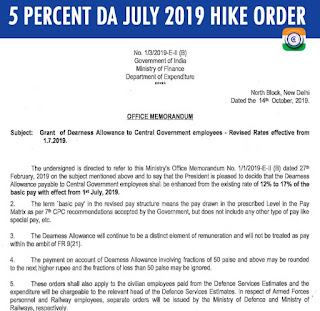
5 Percent DA July 2019 Hike Order - Grant of Dearness Allowance to Central Government employees

Grant of Dearness Allowance to Central Government employees 5 Percent DA July 2019 Hike Order  No. 1/3/2019-E- II (B) Government of...

Blog Archive

About The Author